Multi-Media Creation & Preview Experience
Overview
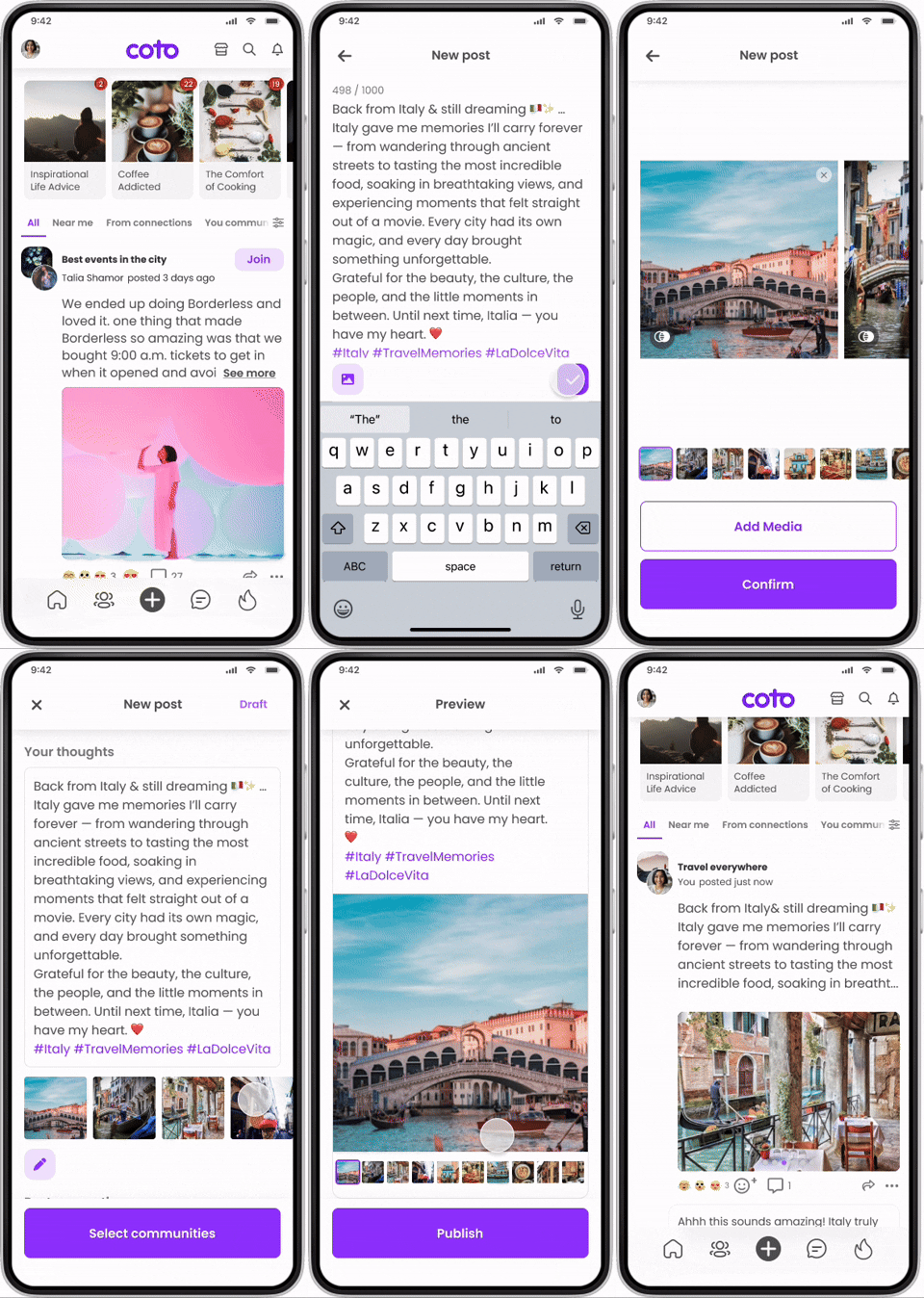
This project focused on expanding the post creation experience from single-media to multi-media posts (up to 10 items) on a social platform. Users could upload, edit, reorder, preview, and publish multiple images and videos within the existing post creation flow.
I was responsible for designing the multi-media upload, editing, and preview experience while preserving the simplicity of the original flow.
My Role
I led the end-to-end design for this feature, including:
Multi-media upload and management interactions
Editing and reordering behaviours
Preview experience design
Collaboration with product and engineering teams
ScopeTeam
1PM · 2 Engineers · 1 QA
Timeline
2023-2024
Problem
The original post creation experience only supported a single media item, which limited storytelling and reduced expressive flexibility. As engagement increased, users wanted to share richer moments using multiple photos and videos in one post.
The challenge was to introduce multi-media capabilities without increasing cognitive load, disrupting the existing posting flow, or degrading feed performance.
The goals of this project were to:
Enable users to upload up to 10 media items per post
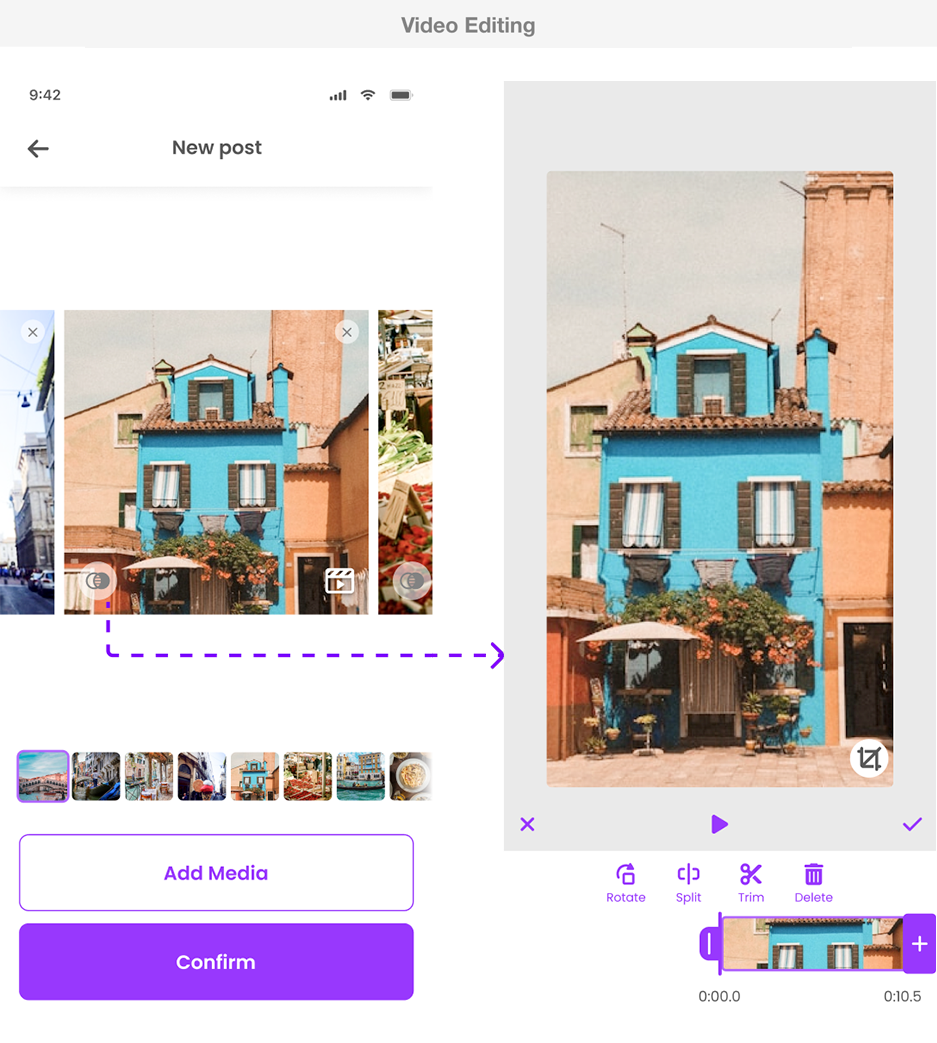
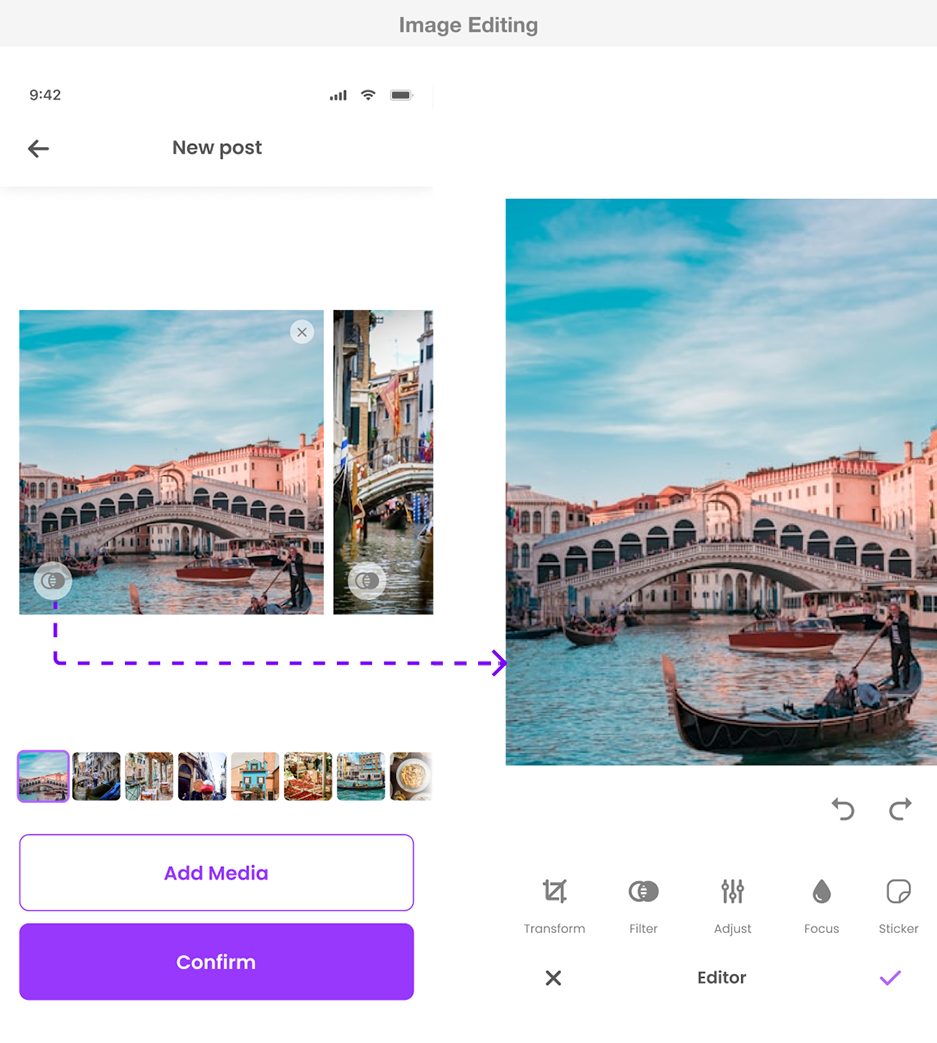
Support light editing for both images and videos
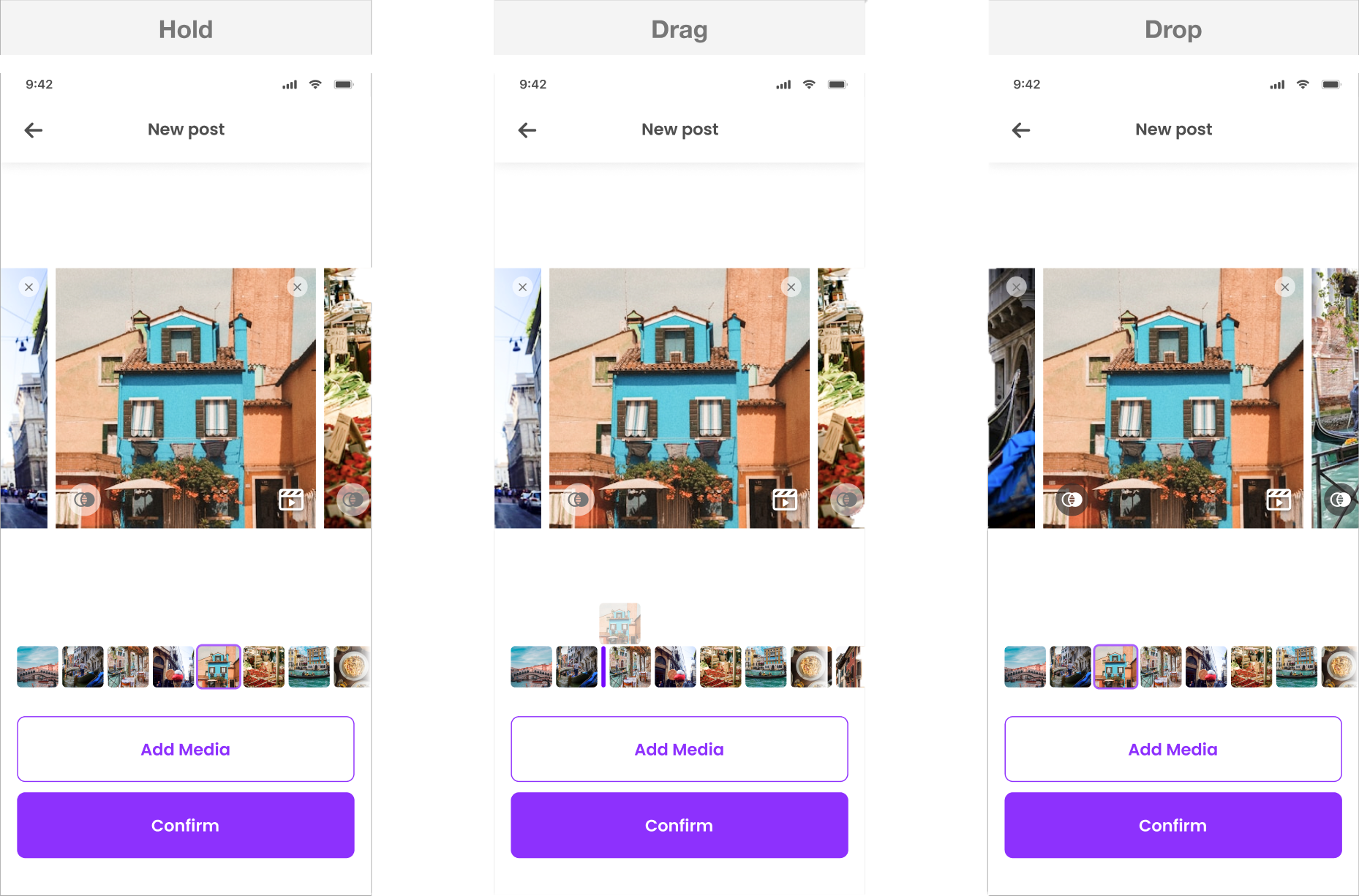
Allow easy reordering to control narrative sequence
Provide a clear preview of the final post before publishing
Success was defined by:
Smooth completion of multi-media post creation
Low abandonment during editing and preview
Clear user understanding of how posts would appear in the feed
Goals & Success Criteria
Key Design Decisions
Rather than introducing a new flow for multi-media posts, I layered the feature onto the existing structure.
Why:
Users were already familiar with the current flow. Changing it would introduce unnecessary relearning and risk drop-off.
1. Keep the existing post creation flow unchanged
2. Prioritize reordering over advanced editing
Users could drag and reorder media to control story flow, while editing tools remained lightweight.
Why:
Narrative control was more valuable to users than professional-level editing features.
The preview experience accurately mirrored the published post, using swipe navigation and clear indicators for the number of media items.
Why:
Preview confidence reduced hesitation and prevented surprises after publishing.
3. Redesign preview to reflect real feed behavior
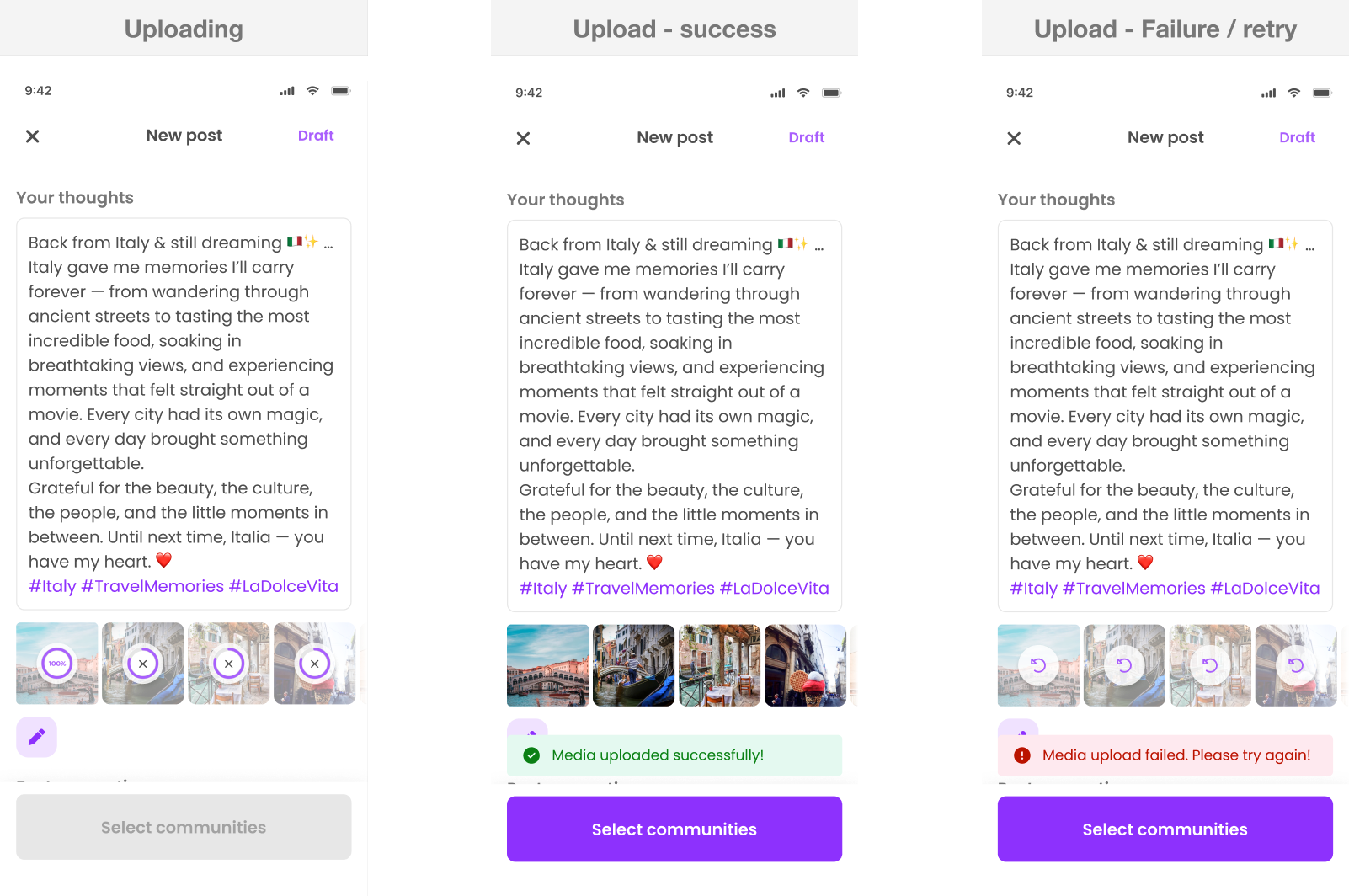
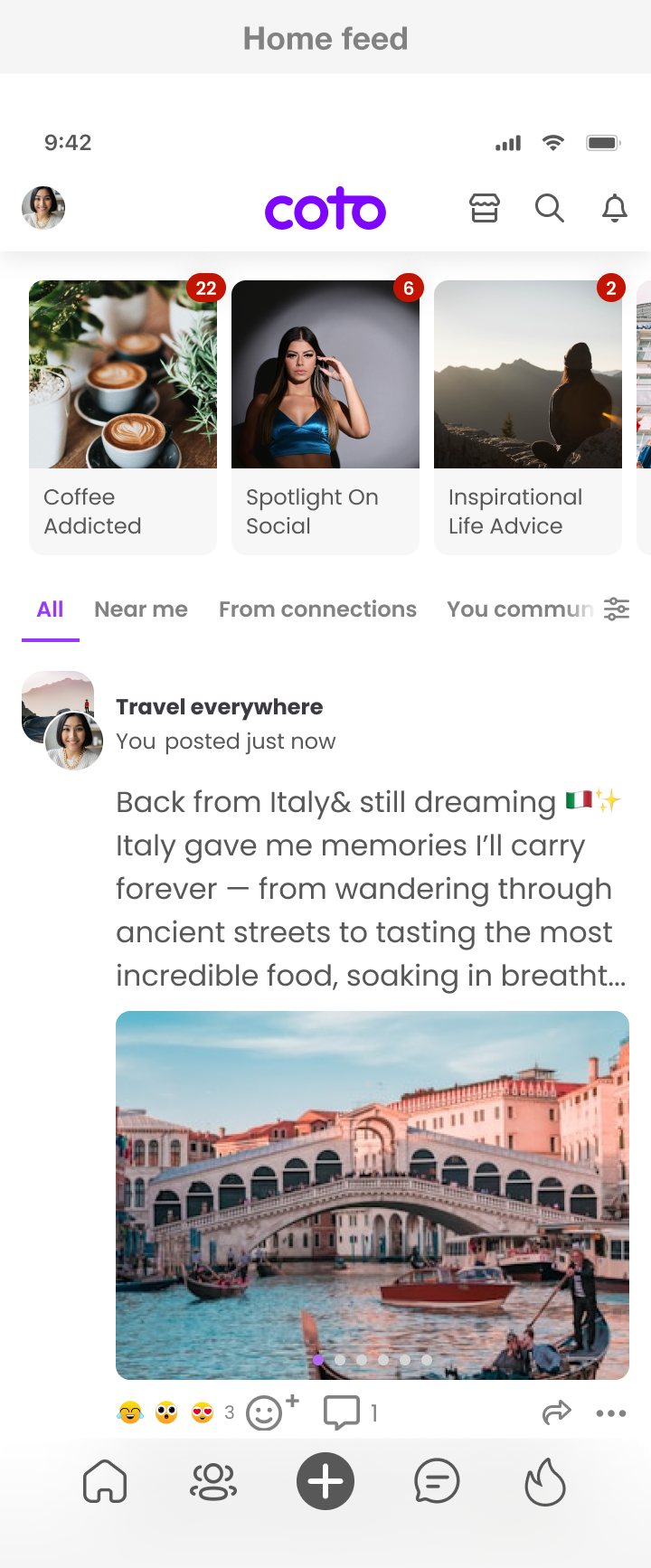
4. Use carousel presentation in the feed
Multi-media posts were displayed as carousels with visual indicators, preserving feed scannability.
Why:
This balanced content richness with performance and browsing efficiency.
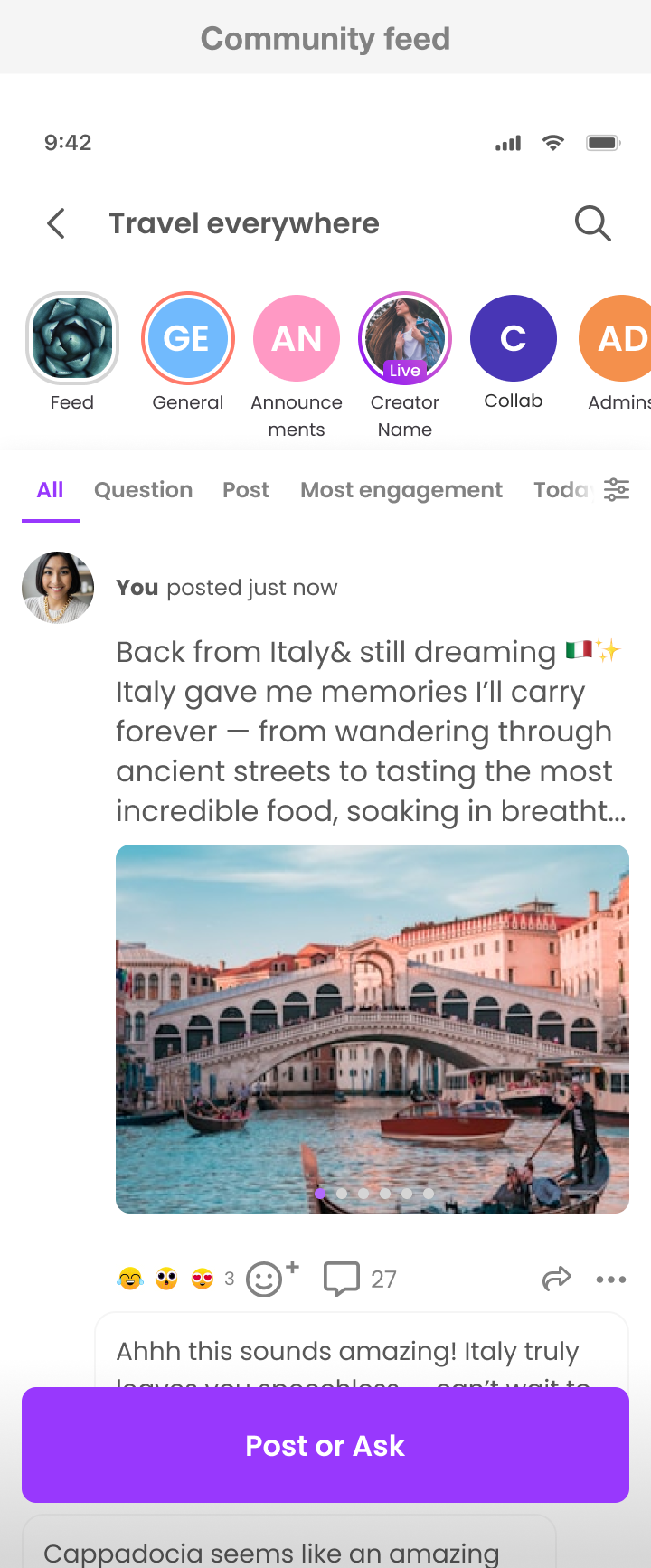
The final solution allowed users to:
Upload multiple images and videos in one post
Apply light edits and reorder media items
Preview the post exactly as it would appear after publishing
Publish multi-media posts without additional steps or onboarding
The experience felt familiar yet more expressive, maintaining consistency across creation and consumption.
Solution
Users adopted multi-media posts naturally, with no noticeable increase in posting friction. Content became richer while the feed remained easy to browse and performant.
Outcome
This project reinforced that system-level improvements are most successful when they respect existing user habits. Adding expressive power doesn’t require redesigning flows—clarity, structure, and strong preview states can go a long way.